My Photo Diary
A photo diary for the family on your own NAS. Albums hold photos, videos, text, maps and GPS tracks in the order you choose, like pages in a diary rather than a feed. It runs as a Docker container and is used in the browser or with the Android app. The photos stay on your NAS.
Try the demo Android app (APK) Windows app Linux app (.deb)
Demo login, if it does not sign you in by itself: user mpd-demo, password mpd-demo. The demo is read-only.
What it does
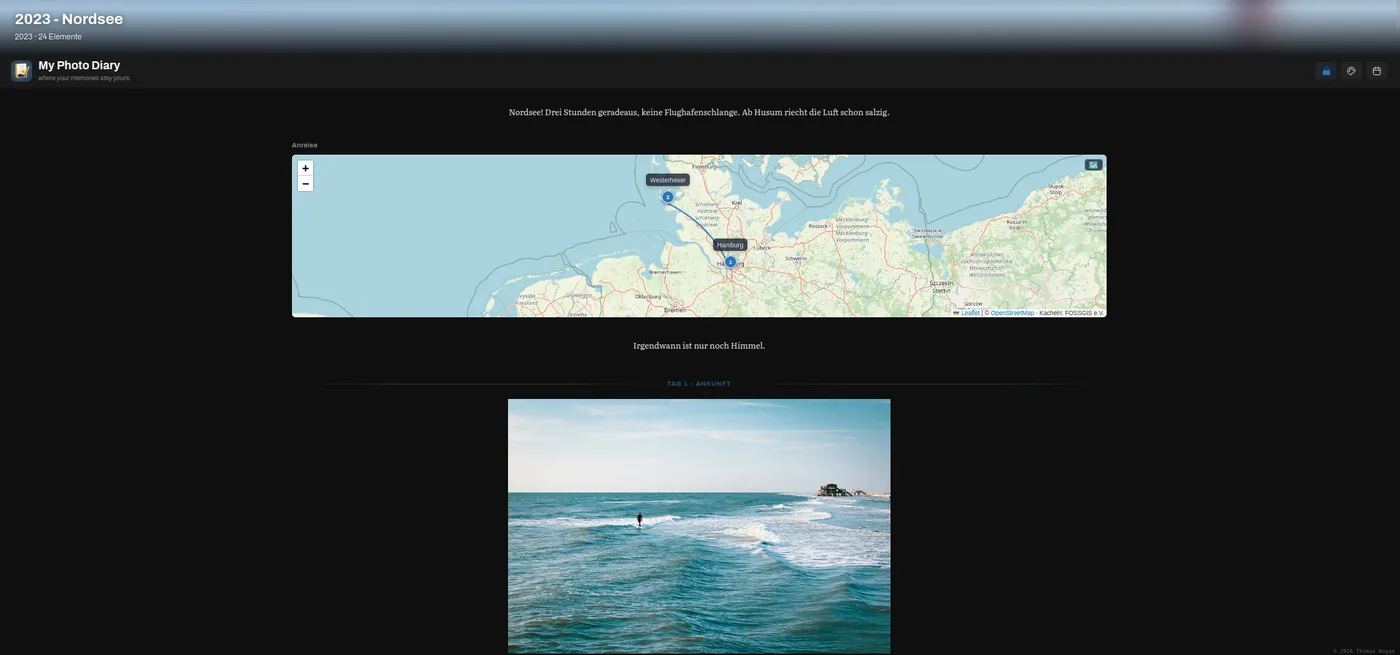
- Albums. Photos, videos, text blocks, maps, GPX tracks, audio, documents and links in one album, arranged by dragging. Every save keeps a backup of the album.
- Pictures. Full-screen viewer with zoom and slideshow. Rotate, crop, straighten and adjust brightness; the original is kept. Fix a wrong date or missing GPS position in the file, rename files by date.
- Memories. Every morning a notification on the phone with the photos taken on this day in earlier years.
- Timeline. All photos in order of time, including those still on the phone, with their backup status. Sort new photos into albums from there.
- Search and statistics. Full-text search across albums and texts. Charts by year, month, device and place.
- Tours and places. GPX tracks as album elements. Your own location history from OwnTracks, with import from Google Timeline.
- Sharing. Album links with an expiry date, mail through your own SMTP server, upload links for guests without an account.
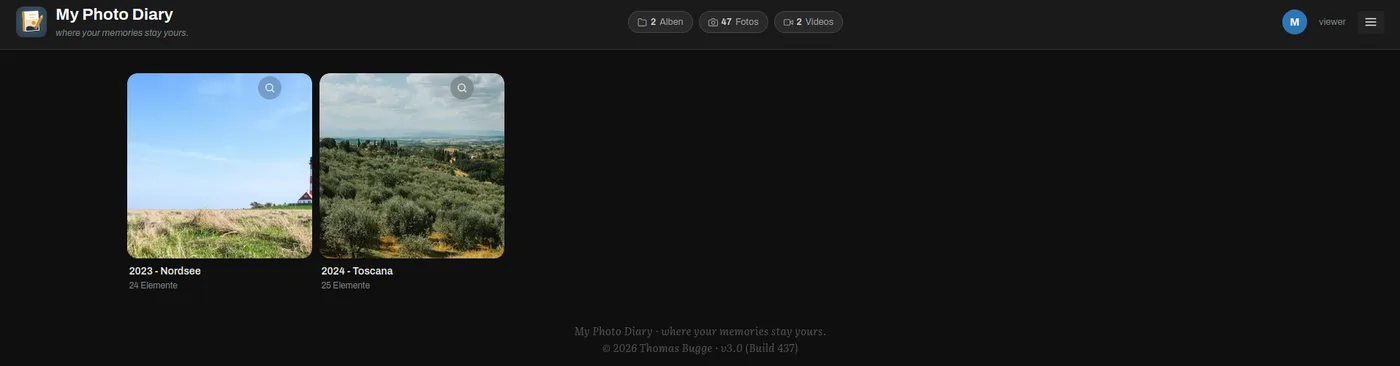
- Several users. A shared family space and a personal space per account. Roles: admin, editor, viewer.
- Writing help (optional, with your own Anthropic key). Three wordings for a text block you wrote. Only that text is sent, only when you press the button.
- Interface in English and German, nine colour themes.
Your data
Albums are plain JSON files next to the photos, readable without the program. Nothing is uploaded, there is no face recognition and no tracking. The only exception is the writing help, which sends one text block to Anthropic if you switch it on.
Installation
One Docker container on a Synology, TrueNAS, unRAID or QNAP NAS, a Raspberry Pi or any Linux server. A Synology package is in preparation. At home it works without further setup; from outside you reach it through a VPN such as Tailscale, a Cloudflare tunnel or the reverse proxy of your NAS.
Licence
The core is free software under the AGPL-3.0 and will be published as source code. The modules search, statistics, tours and places form MPD Plus and are unlocked with a licence file per installation. The price is not set yet; at the moment everything can be used free of charge.
Questions and bug reports by mail.
My Photo Diary
Ein Foto-Tagebuch für die Familie auf der eigenen NAS. In den Alben stehen Fotos, Videos, Text, Karten und GPS-Touren in der Reihenfolge, die man selbst festlegt, wie Seiten in einem Tagebuch und nicht wie ein Feed. Es läuft als Docker-Container und wird im Browser oder mit der Android-App benutzt. Die Fotos bleiben auf der NAS.
Demo ausprobieren Android-App (APK) Windows-App Linux-App (.deb)
Demo-Anmeldung, falls sie nicht von selbst klappt: Benutzer mpd-demo, Passwort mpd-demo. Die Demo ist nur lesend.
Was es kann
- Alben. Fotos, Videos, Textblöcke, Karten, GPX-Touren, Audio, Dokumente und Links in einem Album, per Ziehen angeordnet. Bei jedem Speichern bleibt eine Sicherung des Albums.
- Bilder. Betrachter im Vollbild mit Zoom und Diaschau. Drehen, Beschneiden, Geraderücken, Helligkeit; das Original bleibt erhalten. Falsches Datum oder fehlende GPS-Position in der Datei korrigieren, Dateien nach Datum umbenennen.
- Erinnerungen. Jeden Morgen eine Nachricht aufs Handy mit den Fotos, die an diesem Tag in früheren Jahren entstanden sind.
- Zeitleiste. Alle Fotos in zeitlicher Reihenfolge, auch die, die noch auf dem Handy liegen, mit ihrem Sicherungsstand. Von dort neue Fotos in Alben einsortieren.
- Suche und Statistik. Volltextsuche über Alben und Texte. Auswertungen nach Jahr, Monat, Gerät und Ort.
- Touren und Standorte. GPX-Touren als Album-Element. Die eigene Standorthistorie aus OwnTracks, mit Import aus Google Timeline.
- Teilen. Album-Links mit Ablaufdatum, Mail über den eigenen SMTP-Server, Upload-Links für Gäste ohne Konto.
- Mehrere Benutzer. Ein gemeinsamer Familienbereich und ein persönlicher Bereich je Konto. Rollen: Admin, Editor, Leser.
- Schreibhilfe (optional, mit eigenem Anthropic-Schlüssel). Drei Formulierungen für einen Textblock, den man selbst geschrieben hat. Es geht nur dieser Text hinaus, und nur auf Knopfdruck.
- Oberfläche auf Deutsch und Englisch, neun Farbschemata.
Die Daten
Alben sind einfache JSON-Dateien neben den Fotos, auch ohne das Programm lesbar. Nichts wird hochgeladen, es gibt keine Gesichtserkennung und kein Tracking. Einzige Ausnahme ist die Schreibhilfe, die einen Textblock an Anthropic schickt, wenn man sie einschaltet.
Installation
Ein Docker-Container auf einer Synology-, TrueNAS-, unRAID- oder QNAP-NAS, einem Raspberry Pi oder einem Linux-Server. Ein Synology-Paket ist in Vorbereitung. Zu Hause läuft es ohne weitere Einrichtung; von außen erreicht man es über ein VPN wie Tailscale, einen Cloudflare-Tunnel oder den Reverse-Proxy der NAS.
Lizenz
Der Kern ist freie Software unter der AGPL-3.0 und wird als Quellcode veröffentlicht. Die Module Suche, Statistik, Touren und Standorte bilden MPD Plus und werden mit einer Lizenzdatei je Installation freigeschaltet. Der Preis steht noch nicht fest; zurzeit ist alles kostenlos nutzbar.
Fragen und Fehlermeldungen per Mail.